The short answer
- Serato released Serato DJ for iOS on October 20, 2026, its first app for iPhone and iPad. It is free to download, with the full version at $149 one time or included with a Serato DJ Suite license.
- Algoriddim's djay Pro has been the iPad standard for years. It has the most mature touch layout, Neural Mix stems, video mixing, and a wide controller list, on a low-cost subscription.
- rekordbox for iOS supports a short list of Pioneer DJ controllers and suits DJs who already prepare their music in rekordbox.
- The controller decides more than the app does. Check the app's official compatibility list for your exact model before you buy anything.
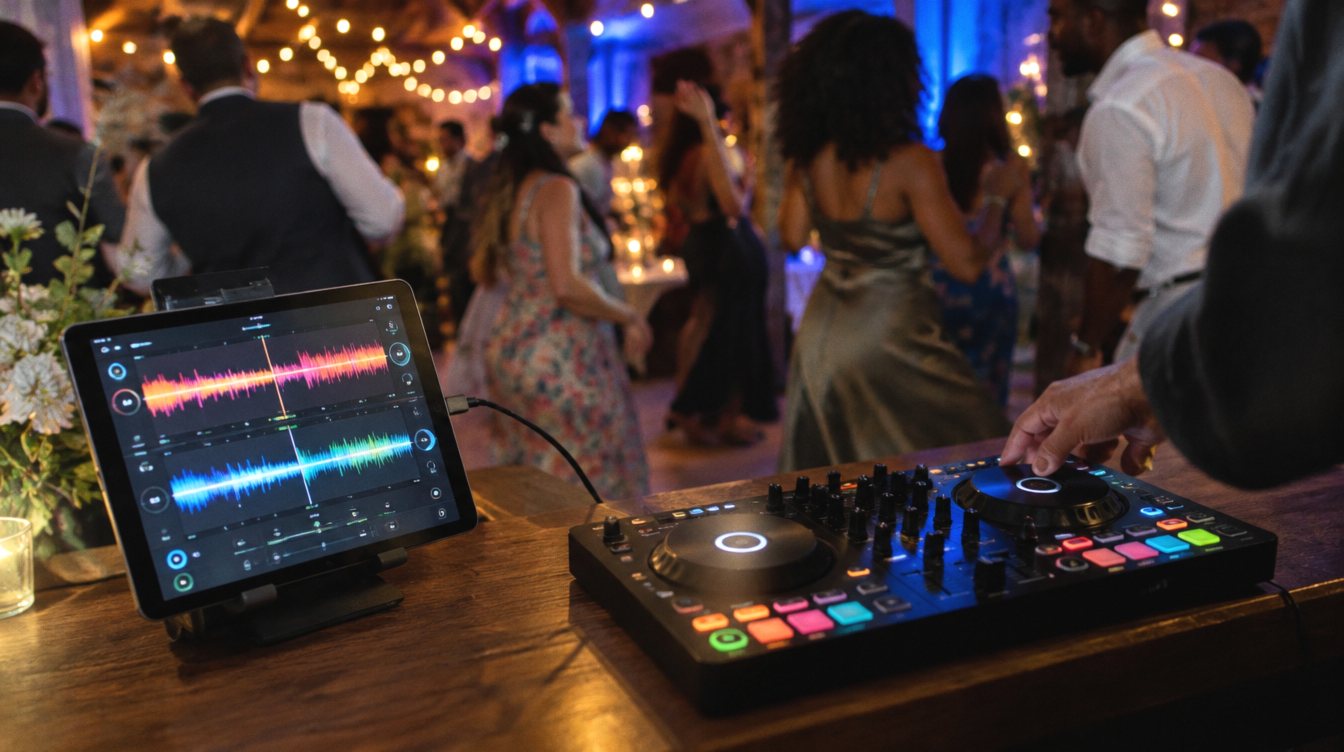
For most of the last decade, a serious DJ setup meant a laptop. That is changing. Recent iPads connect to controllers over a single USB-C cable and have enough power to run stems in real time. And in October 2026 Serato, the software a huge share of mobile and wedding DJs already use, finally put its full DJ app on iPhone and iPad.
That matters to us directly. Our founder, Ceasare Orlando, has played events on a laptop running Serato for years, and he is now in the middle of moving to an iPad-based system. He is testing two apps side by side at the moment: Algoriddim's djay Pro and the new Serato DJ for iOS. This post covers what each app offers today, what it costs, and which controllers work with which app. We will update it with his verdict once he has played real events on both.
Why move from a laptop to an iPad?
A laptop is still the most flexible DJ computer. But for mobile and event work, an iPad has real advantages, and they are the reasons Ceasare is making the switch:
- Smaller footprint on the DJ table, which matters at ceremonies, cocktail hours and tight venues
- Faster setup and teardown with one cable to the controller
- Touch control for browsing, cueing and effects
- Long battery life and no fan noise
- A cleaner look behind the booth, which shows up in photos and video
The tradeoffs are real too. Library management is easier on a computer, some controllers are not supported on iOS at all, and you have to plan for power and headphone routing. More on those below.
The quick comparison
| Serato DJ for iOS | djay Pro (Algoriddim) | rekordbox for iOS | |
|---|---|---|---|
| Released on iOS | October 2026 | Long established; djay has been on iPad for over a decade | Established; iPad support since version 4 |
| Free tier | Yes: 4 hot cues, 4 sampler slots, basic stems and effects, entry-level controllers | Free download with a trial of PRO | Yes, including DJing with a supported controller |
| Full version | $149 one time, or included with Serato DJ Suite ($14.99 a month) | PRO subscription, about $7 a month in the US (varies by region) | In-app subscription for extras like key control, SLIP and unlimited recording |
| Stems | Yes (basic free, advanced and Stems FX paid) | Yes, Neural Mix (PRO) | Check current app version |
| DVS (turntables) | Yes, paid version with a Serato-enabled mixer | Yes (PRO) | No |
| Video mixing | No | Yes (PRO, macOS and iOS) | No |
| Streaming | Apple Music, Spotify, TIDAL, SoundCloud, Beatport (one service at a time) | Yes, several services | Apple Music, Spotify, TIDAL, SoundCloud, Beatport |
| Library from your computer | iOS Transfer from Serato DJ 5.0, one way, no cloud sync yet | Cloud library sync | Cloud Library Sync (full sync on Creative and Professional plans) |
Pricing and feature lists in this post come from Serato, Algoriddim and rekordbox announcements, help pages and launch coverage as of November 2026. App pricing changes and varies by country, so confirm in the App Store before you buy.
Serato DJ for iOS
iPhone and iPad DJ app
Serato DJ for iOS Testing now
Best for: DJs who already run Serato on a laptop and want the same workflow on iPad
- Free
- 4 hot cues, 4 sampler slots, basic stems and effects, entry-level controllers
- Full
- $149 one-time in-app purchase, with a 7-day trial
- Suite
- Included with Serato DJ Suite ($14.99 a month or $499)
- Requires
- iOS or iPadOS 18.6 or later
- Same crates, cue points, loops and beatgrids you built on the laptop, through iOS Transfer
- More than 120 supported controllers, mixers and DVS setups at launch
- Full DVS with absolute and relative modes on iPad
- One-time purchase option, no subscription required
- No cloud sync yet; transfers are one way and smart crates do not come across
- A standalone Serato DJ Pro license does not include the iOS app
- No Bluetooth controllers and no MIDI mapping
- Brand new, so expect early updates and fixes
For a working Serato DJ, the headline feature is iOS Transfer. Serato DJ Pro or Lite 5.0 on your computer can send crates to the iPad over Wi-Fi, AirDrop or a USB cable, and your cue points, loops and beatgrids come with them. That means years of prep do not have to be redone. The catch is that it only goes one way. Edits made on the iPad do not sync back, and each transfer lands in a new dated folder that you will want to tidy.
One pricing detail surprised a lot of DJs at launch: owning Serato DJ Pro does not unlock the iOS app. You need either the $149 in-app purchase or a Serato DJ Suite license or subscription. If you are already paying for Suite, the full iOS app is included.
djay Pro by Algoriddim
iPhone, iPad, Mac, Windows and Android DJ app
djay Pro (Algoriddim) Testing now
Best for: DJs who want the most polished touch interface and features beyond audio, like video mixing
- Free
- Free download with a 7-day PRO trial
- PRO
- Subscription, about $7 a month in the US; one subscription covers every platform
- Stems
- Neural Mix: vocals, drums and instrumentals in real time
- Extras
- Video mixing, 4-deck mode, Automix, DVS, recording
- The most refined iPad and iPhone layout; reviewers still find it easier to use on a phone alone than Serato's
- Plug-and-play support for 100+ controllers, plus MIDI Learn to map others
- Video mixing on iPad, useful for events with screens
- Cloud library sync across devices
- Subscription only for PRO
- Neural Mix does not work on tracks streamed from Apple Music or Spotify
- A different library from Serato, so cue points and crates need to be rebuilt or converted
djay has been on the iPad for more than a decade, and it shows. The touch layout is the most mature of the three, and the app does things the others do not, like mixing music videos and running four decks on an iPad. Algoriddim has also worked with hardware makers directly, including Rane on its motorized controllers.
The biggest question for a longtime Serato DJ is the library. djay reads your music files, but your Serato cue points and crates live in Serato's own database. That is one of the main things Ceasare is weighing: is djay's interface worth the work of rebuilding, now that Serato can carry his existing prep straight onto the iPad?
rekordbox for iOS
iPhone and iPad DJ app
rekordbox for iOS (AlphaTheta / Pioneer DJ)
Best for: DJs who prep in rekordbox and play Pioneer DJ gear
- Free
- DJ with a supported controller; AlphaTheta account required
- Paid
- In-app subscription for key control, SLIP, extra effects, pad customization and unlimited recording
- Controllers
- DDJ-200, DDJ-FLX2, DDJ-FLX4, DDJ-GRV6, XDJ-AN
- Cloud
- Cloud Library Sync, full library on Creative and Professional plans
- Strong cloud sync with rekordbox on your computer
- Free controller use on supported models
- Connects to Pioneer gear over PRO DJ LINK
- Short controller list
- Desktop rekordbox plans do not unlock the iOS extras; it is a separate in-app subscription
- No DVS on iOS
rekordbox for iOS is a strong companion app if your library already lives in rekordbox. With a controller, though, it is limited to a handful of Pioneer DJ models, so it is less of a full laptop replacement than Serato or djay for most mobile DJs.
What about VirtualDJ?
VirtualDJ does not offer a full DJ app for iPad. Its VirtualDJ Remote app turns an iPhone or iPad into a wireless remote for VirtualDJ running on a Mac or PC. That can be handy, but it still needs a computer, so it is not part of an iPad-only setup.
Which controllers work with which app
This is where most iPad plans succeed or fail. A controller has to be supported by the app on iOS specifically, which is not the same as being supported on a laptop. Many larger controllers are not class compliant on iOS, which means the iPad cannot talk to them without a computer driver.
| Controller | Serato for iOS | djay Pro (iOS) | rekordbox for iOS |
|---|---|---|---|
| Pioneer DDJ-FLX4 | Yes, works on the free tier | Check Algoriddim's list | Yes |
| Pioneer DDJ-200 | Check Serato's list | Check Algoriddim's list | Yes |
| Pioneer DDJ-FLX2, DDJ-GRV6 | Check Serato's list | Check Algoriddim's list | Yes |
| Pioneer DDJ-400 | Check Serato's list | Yes | No |
| Pioneer DDJ-FLX10 | Yes | Check Algoriddim's list | No |
| Pioneer DDJ-REV7, DJM-S11 | Yes, but their screens do not work | Check Algoriddim's list | No |
| Rane System One | Yes, including its screens | Check Algoriddim's list | No |
| Pioneer DDJ-1000 | No (not class compliant) | No (not class compliant) | No |
| Rane Performer | No (not class compliant) | Check Algoriddim's list | No |
| Pioneer DDJ-SX3 | Check Serato's list | No (not class compliant) | No |
| Hercules DJControl Inpulse 200 MK2 | Check Serato's list | Yes | No |
| Bluetooth controllers | No | Check Algoriddim's list | DDJ-200 and DDJ-FLX4 over Bluetooth |
"Check the list" means we could not confirm that model from an official source. Both lists change with app updates. Before you buy, open Serato's iOS hardware list or Algoriddim's DJ Gear page with iOS selected, and find your exact model.
Setting up a controller with an iPad
- Confirm support first. Find your exact controller on the app's iOS compatibility list, not the desktop list.
- Use the right cable. USB-C iPads and iPhone 15 or newer connect directly. Older Lightning devices need Apple's Lightning to USB 3 Camera Adapter.
- Plan for power. A controller powered only by USB can drain the iPad during a long set. Use a controller with its own power supply, one with a charging pass-through port like the DDJ-FLX4, or a powered USB-C hub.
- Route your headphones. Use the controller's own headphone output so you can cue privately. Without an audio interface, a phone or tablet needs splitter cables to send music to speakers and headphones at once.
- Silence the iPad. Turn on Do Not Disturb or Airplane Mode before the set. A notification or call can interrupt playback.
- Load music locally. Streaming is great for requests, but you cannot record streamed tracks, and some services restrict stems. Keep your core event library downloaded on the device.
How we are testing them
What favors Serato for us
- Years of existing cue points, loops and crates carry over through iOS Transfer
- One-time purchase option
- Same workflow as the laptop setup he uses now
- DVS support on iPad for turntable setups
What favors djay Pro
- The more mature touch interface
- Video mixing for events with screens
- Cloud library sync between devices
- A longer track record on iPad
Ceasare's test is built around real event conditions, not a feature checklist: how fast he can find a request mid-set, how reliably each app handles a long night on battery and hub power, how it behaves with his controller, and how much library work the switch takes. We will add his results to this post once both apps have been through actual events.
The best DJ app is the one your controller supports and your library already lives in. Everything else is a tiebreaker.
New to DJing? Start with DJ equipment for beginners, compare the desktop programs in Serato vs rekordbox vs VirtualDJ, and see our picks for the best DJ controllers.
Frequently asked questions
Is Serato DJ for iOS free?
It is free to download, with 4 hot cues, 4 sampler slots, basic stems and effects, and support for entry-level controllers. The full version costs $149 as a one-time in-app purchase, or is included with Serato DJ Suite.
Does my Serato DJ Pro license work on the iPad?
No. A standalone Serato DJ Pro license does not include the iOS app. You need the in-app purchase or a Serato DJ Suite license or subscription.
Can I move my Serato library to the iPad?
Yes, with iOS Transfer in Serato DJ Pro or Lite 5.0. It sends crates with cue points, loops and beatgrids over Wi-Fi, AirDrop or USB. It is one way only, and smart crates and streaming tracks do not transfer.
Can I DJ a real event on an iPad?
Yes, as long as your controller is supported on iOS, the iPad stays powered for the full night, and your music is stored on the device. Many DJs keep a laptop or phone setup nearby as a backup.
Which app has the most controller support on iPad?
Serato lists more than 120 controllers, mixers and DVS setups for iOS, and djay Pro lists 100+ plug-and-play MIDI controllers plus MIDI Learn for others. rekordbox for iOS supports five Pioneer DJ models. Coverage overlaps but is not identical, so check your exact model.