The short answer
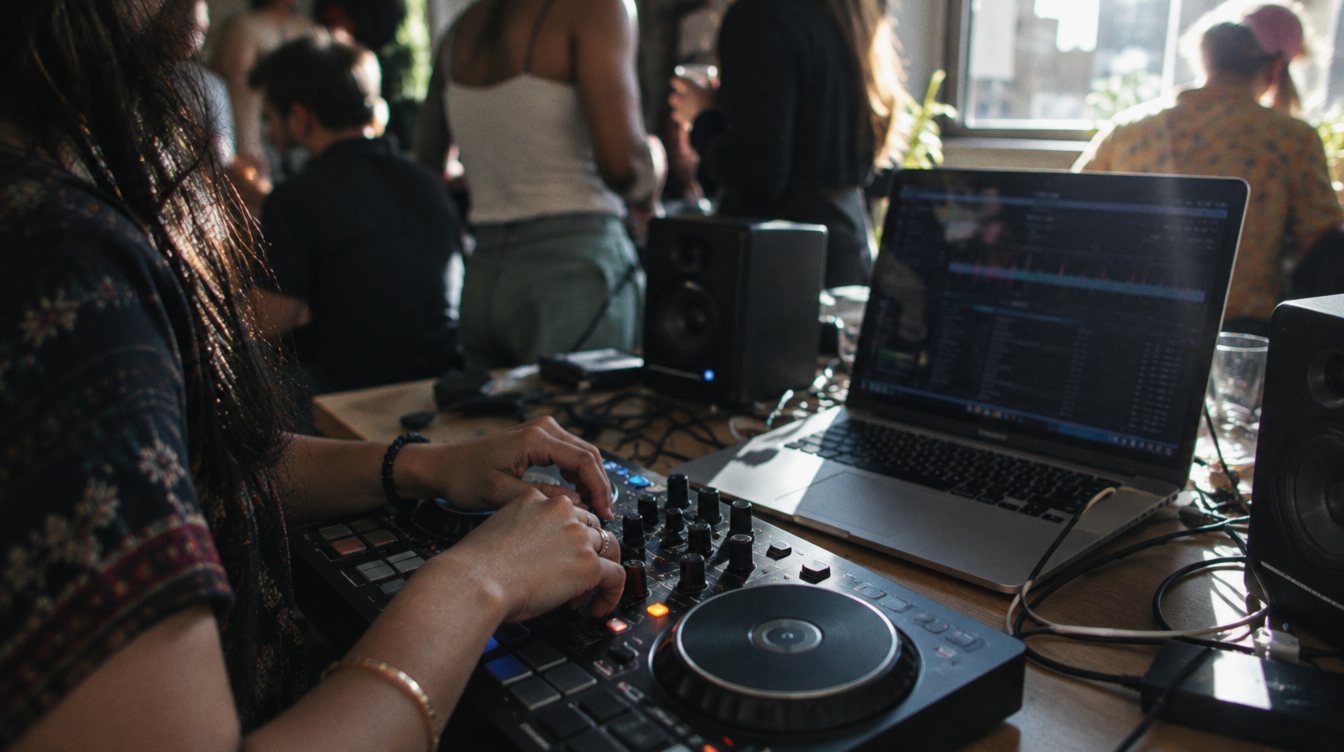
- To learn, you need five things: a two-channel DJ controller, a laptop you already own, closed-back headphones, DJ software, and a pair of small powered speakers.
- A solid starter setup costs roughly $500 to $700 if you already have a laptop. Prices change, so check current listings.
- Skip PA speakers, lighting and wireless mics until you are booking paid events.
Beginners tend to overspend in the wrong places. A four-deck controller with every pad and effect will not teach you to mix faster than a simple two-channel unit. What teaches you is hours of practice, and the right gear just makes those hours pleasant. Here is what to buy first, in order of importance.
The five things you need to start
| Item | Why you need it | Rough cost |
|---|---|---|
| DJ controller | Hands-on control of two decks, the mixer and cues | Around $250 to $350 for a good starter |
| Laptop | Runs the DJ software and holds your library | Use what you have; check the software's system requirements |
| Headphones | Lets you cue the next track privately | Around $100 to $170 |
| DJ software | The decks, library and analysis | Free starter versions come with most controllers |
| Powered speakers | So you can hear the mix the way a room would | Small desktop monitors start around $100 a pair |
Prices in this post are approximate as of November 2026, based on retailer and manufacturer listings. Gear prices move often with sales and new versions, so treat them as ballparks.
Starter controllers worth a look
For a first controller, look for two channels, full-size jog wheels, a proper crossfader, three-band EQ per channel, and a headphone cue section. Bundled software matters too, because it decides what you will be learning on. The two below are popular starting points; check for a newer version before you buy.
DJ controller
AlphaTheta (Pioneer DJ) DDJ-FLX4
Best for: beginners who want to keep both rekordbox and Serato as options
- Channels
- 2
- Software
- rekordbox and Serato DJ Lite
- Price
- Around $300 to $350
- Works with the two most common club and mobile DJ platforms
- Layout resembles larger Pioneer gear you may meet later
- Two channels only
- Some advanced software features need a paid upgrade
DJ controller
Numark Mixtrack Platinum FX
Best for: Serato learners on a tighter budget
- Deck control
- 4 decks on 2 channels
- Software
- Serato DJ Lite included, upgradable to Serato DJ Pro
- Price
- Around $280
- Jog wheel displays show track info while you mix
- Clear upgrade path into Serato DJ Pro
- Serato DJ Lite limits cue points and pad modes
- Lighter build than higher-end controllers
Headphones: closed-back, comfortable, durable
DJ headphones need to block outside sound so you can hear your cue over a loud speaker. Closed-back over-ear models do this best. Comfort matters more than you think, because you will wear them for hours, and a replaceable cable saves money down the road.
Headphones
Audio-Technica ATH-M50x
Best for: a do-everything first pair for DJing and editing
- Type
- Closed-back, over-ear
- Price
- Around $150 to $170
- Good isolation for cueing
- Also useful for checking audio in video editing
- Can feel warm on long sets
- Not as compact as on-ear DJ models
Software: start with what comes in the box
Most starter controllers ship with a free or lite version of the software they are built for. Learn on that. Upgrade when you hit a real limit, like needing more cue points or recording. Our breakdown of Serato vs rekordbox vs VirtualDJ covers current plans and prices.
DJ software
Serato DJ In our kit
Best for: mobile and wedding DJs who want a simple, stable library
- Free version
- Serato DJ Lite
- Serato DJ Pro
- $11.99 a month or $299 one time (serato.com, November 2026)
- Widely supported by controllers and mixers
- Straightforward crates and library
- Lite version is limited
- Some hardware requires the paid version
Speakers: monitors now, PA later
For practice at home, a pair of small powered studio monitors is enough. Small desktop pairs, such as the PreSonus Eris 3.5, start around $100. Avoid mixing only on headphones; you need to hear the blend in the air to learn what a room will hear.
PA speakers for events are a separate, bigger purchase. Wait until you are getting booked, then read our guide to the best PA speakers for mobile DJs.
Starter setup costs (rough, prices change)
Small things that make a big difference
A few inexpensive extras will save you frustration. Get a laptop stand so the screen sits at eye level and the controller has room in front of it. Use the cables that came with your gear, and keep a spare USB cable for the controller, because a loose or worn cable is one of the most common causes of dropouts. A small power strip keeps everything on one switch.
Also set up an external drive for your music library from day one. Back it up regularly. Losing a carefully organized library is far more painful than losing any piece of hardware, and the habit will matter even more once you are playing paid events.
What to skip for now
- PA speakers and subwoofers (until you have paid gigs)
- DJ lighting and uplights
- Wireless microphone systems
- Turntables and a vinyl setup, unless vinyl is the goal
- Four-channel flagship controllers
- Expensive cases and road gear
Buy the gear that gets you practicing tonight, and let real gigs tell you what to buy next.
Your first week with new gear
- Set up properly
Connect the controller, install the software and drivers, and set your audio output so headphones cue and speakers play the master.
- Load 30 songs you know well
Pick tracks in a similar tempo range. Familiar songs make it easier to hear the beat and the phrase.
- Learn the mixer before the effects
Spend your first sessions on gain, EQ, channel faders and cueing. Effects can wait.
- Record every session
Most software can record your mix. Listen back the next day and note one thing to fix.
Then move on to how to beatmatch, and when you are ready to think about weddings, read how to become a wedding DJ.
Frequently asked questions
Can I learn to DJ on just a laptop?
Some software lets you mix with a keyboard, which is fine for learning a library, but a controller teaches the physical skills you need for real gigs. Serato offers a free Practice Mode that runs without hardware.
Should I buy used DJ gear?
Used controllers can be a good deal. Test every fader, knob and jog wheel, and confirm the model is still supported by current software.
How much should a beginner spend on DJ equipment?
If you already own a laptop, roughly $500 to $700 covers a good controller, headphones and small speakers. Prices change, so check current listings.
Do I need a music subscription right away?
Not on day one, but streaming services are unreliable at events. Once you start playing out, a record pool gives you downloadable DJ-ready files.