The short answer
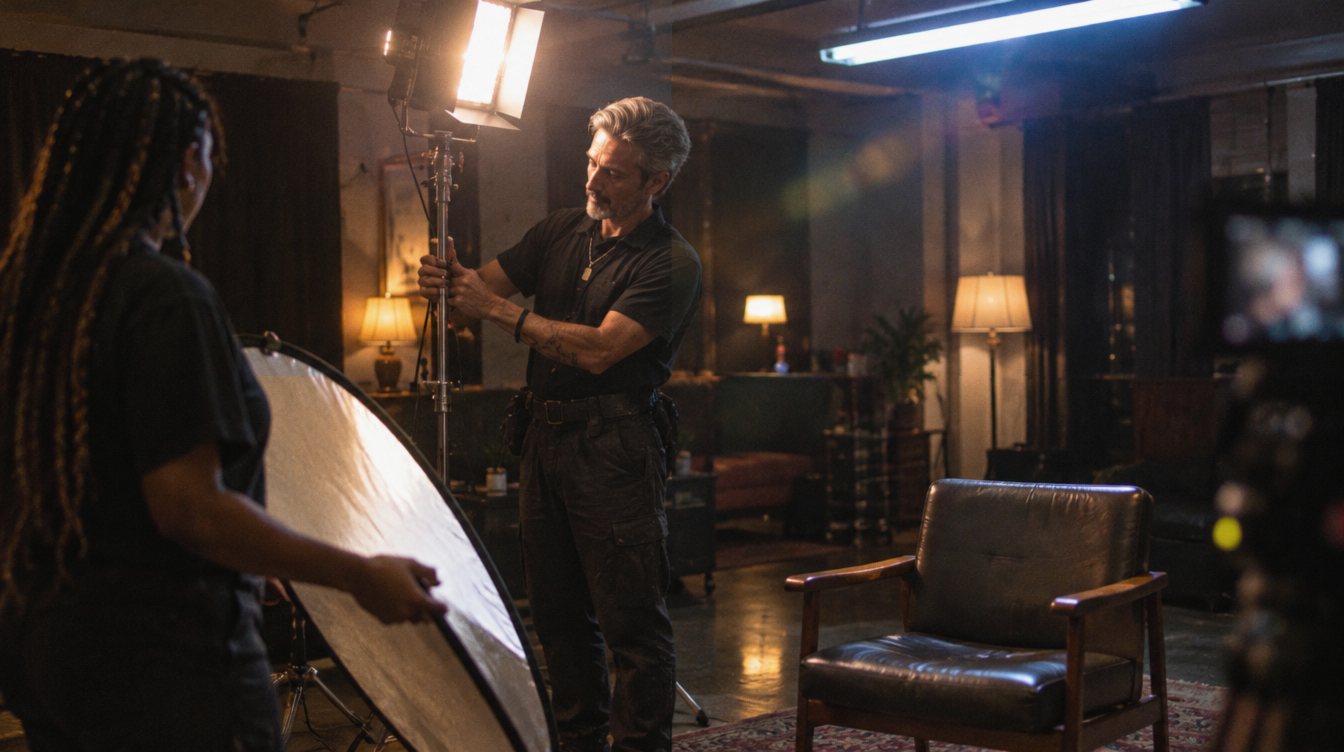
- Key light: your main, softest light, placed about 30 to 45 degrees off the camera axis and a little above eye level.
- Fill light: a weaker light or a bounce on the opposite side that controls how dark the shadows get.
- Backlight: a light behind the subject that rims the hair and shoulders and separates them from the background.
- Then light the background separately, kill stray light, and match color temperatures across every source.
Three-point lighting uses a key light to shape the face, a fill light to control shadows, and a backlight to separate the subject from the background. Put a large, soft key about 30 to 45 degrees to one side of the camera, add fill (or just a white bounce) on the other side, and place a backlight behind and above the subject. That setup works in almost any room and is the foundation of nearly every interview you see.
Below is how to place each light, how bright to make it, and how to adjust the look from bright and corporate to dark and cinematic.
The three lights and what each one does
| Light | Job | Typical placement | Typical modifier |
|---|---|---|---|
| Key | Main light that shapes the face | 30 to 45 degrees off camera, slightly above eye level, angled down | Large softbox, lantern or diffusion frame |
| Fill | Lifts shadows on the far side of the face | Opposite side from the key, near camera, lower intensity | Bounce board, small softbox or a dimmed panel |
| Back (rim or hair) | Separates subject from background | Behind and above the subject, opposite side from the key | Bare or lightly diffused, often with a grid |
A common variation is to put the key on the "far side" of the face, the side turned away from the camera. This is often called short-side lighting, and it gives a more shaped, three-dimensional look than lighting the side closest to the lens.
Set it up step by step
Build the lighting one source at a time. Turn everything off, then add each light and look at the monitor before moving on.
- Place the subject and camera first
Pull the subject away from the wall, at least a few feet if the room allows. Distance makes the background easier to control and gives the backlight room to work.
- Set the eyeline
For a classic interview, the subject talks to an interviewer sitting just beside the lens, so the eyes look slightly off camera. Decide which side now, because the key usually goes on the side they face.
- Add the key
Place your largest, softest light 30 to 45 degrees off the camera axis, slightly above eye level. Bring it as close as the frame allows: a closer light is softer. Look for a small catchlight in both eyes.
- Add fill, or do not
Look at the shadow side of the face. If it is too dark, add a bounce board or a dimmed light on that side. If you like the mood, leave it.
- Add the backlight
Place it behind the subject on the side opposite the key, high and angled down onto hair and shoulders. Keep it out of the lens to avoid flare.
- Light the background
A small light or a practical lamp creates a pool of light or a gradient behind the subject. A background slightly darker than the face keeps attention on the person.
- Check exposure and color
Expose for the face with zebras, false color or a waveform. Match the color temperature of every light, and set your camera's white balance to match.
If you only own one light, use it as the key and make your fill with a white foam board or a sheet on a stand. Add a practical lamp in the background. That gives you most of the three-point look for very little money.
Control the mood with ratios
The difference in brightness between key and fill is your lighting ratio, and it sets the tone of the interview.
Low contrast (bright, even)
- Fill close in brightness to the key
- Soft shadows, open and approachable
- Works for corporate, health, education and testimonials
- Forgiving if the subject moves around
High contrast (dark, cinematic)
- Little or no fill, often negative fill on the shadow side
- Deep shadows, more drama and depth
- Works for documentaries, artists and brand films
- Needs a subject who stays in their mark
Negative fill means using something black (a flag, a black board or a dark curtain) on the shadow side to absorb light bouncing around the room. It is a simple way to get a moodier look in a small, bright space.
Add light to shape the face. Take light away to give it depth.
Color temperature and the room
Mixed light sources are the most common problem in real locations. A daylight window, warm tungsten lamps and LED panels set to different temperatures all fight each other on skin.
- Pick one color temperature for your lights (for example 5600K or 3200K) and set every light to it
- Turn off overhead lights, which usually add unflattering top light and color casts
- Close blinds or use the window as the key, and set your lights to match daylight
- Use warmer practicals in the background on purpose for contrast, not by accident
- Set the camera's white balance manually to match your key
For the full camera side of this, see our guide to camera settings for event video, which covers white balance, shutter and flicker. Shopping for lights? Our guide to the best LED lights for interviews explains what to look for, including color accuracy ratings and output.
Common mistakes to avoid
- Key light too high
The eyes sink into shadow. Lower the light until both eyes show a catchlight.
- Light too small or too far
Harsh, sharp shadows on the face. Use a bigger modifier and bring it closer.
- Subject against the wall
Shadows land on the background and the image looks flat. Pull them forward.
- Glasses glare
Raise the key or move it farther to the side until reflections leave the lenses.
- Ignoring sound
Lights with loud fans can ruin audio. Check fan modes, and see our guide to recording clean interview audio.
A practice exercise
Seat a friend in one spot and shoot the same 30 second answer five ways: key only; key with a white bounce; key with negative fill; full three-point; and three-point with a lit background. Compare them side by side. You will see exactly what each light adds, and you will start to choose a look on purpose instead of by accident.
This is the same layered approach we use when we light interviews for our content clients: shape the face first, separate the subject, then build the background.
Frequently asked questions
Do I really need three lights for an interview?
No. A single soft key with a bounce for fill and a practical lamp in the background can look excellent. Three lights give you more control, especially over separation from the background.
Where should the key light go?
Start about 30 to 45 degrees off the camera axis, slightly above eye level and angled down. Many shooters place it on the side of the face turned away from the camera for a more shaped look.
What color temperature should I use?
Whatever matches your strongest light source you cannot control. Near windows, daylight (around 5600K). In a room lit by warm lamps, tungsten (around 3200K). The key is keeping every light the same.
How do I make a bright office look cinematic?
Turn off overhead lights, use one soft key, add negative fill on the shadow side, and leave the background slightly darker than the face with a practical lamp or small accent light.